
Managing your money doesn’t need fancy apps, subscriptions, or complicated tools. If you’ve ever felt overwhelmed trying to stay on top of your spending, Google Sheets is one of the simplest & budget-friendly ways to start taking control of your finances.
In this guide, you’ll learn what makes Google Sheets perfect for budgeting, especially if you prefer digital planning. When you’re ready, you’re welcome to follow along with the step-by-step video tutorial (included in this guide).
Why Use Google Sheets for Budget Tracking?
There are hundreds of budgeting apps out there… so why Sheets?
Here’s why so many people choose it:
- It’s free! — All you need is a Google account.
- Beginner-friendly — If you can type and use dropdowns, you can manage a budget.
- Flexible and customisable — You can build a layout that actually fits your life, not the other way around.
- Easily automated — With formulas, summaries, and charts, your sheet can do the heavy lifting for you.
- Accessible from anywhere — Phone, laptop, tablet—you can update your spending on the go.
As someone who just started my budget tracking journey, Google Sheets is the perfect tool for me as it’s simple and 100% customisable, I can customise it whenever life changes.
✨ Start Budgeting Now: Download Ready-Made Budget Planner
If you like the idea of budgeting in Google Sheets but don’t have time to build your own from scratch, this ready-made tracker from Pocodash is a perfect solution.
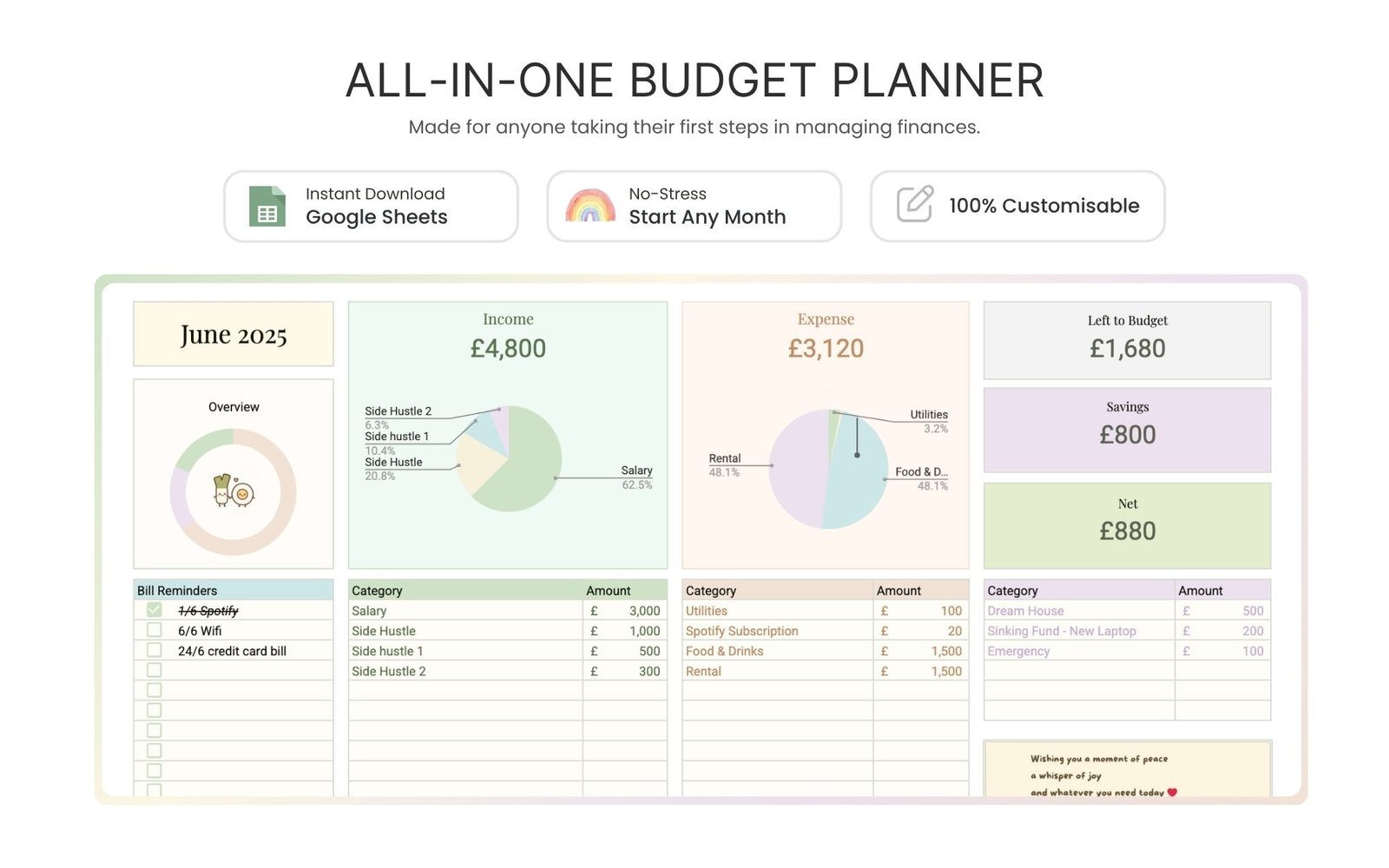
You’ll get a Google Sheets Template with 12 pages of Budget Planner (1 page for each month) to start organizing your finances in the new year.
✔️ 12-Month 2026 Budget Planner — instantly start budgeting for the entire year
✔️ Quick tutorial to guide you through setup so you can start using it in minutes
What Our Customers are Saying
Customer bought our template after trying to diy a budget spreadsheets on her own, and the formula did not work out. So she decided to purchase our template and she is very happy with the purchase. Now, she is motivated to keep track of her finances every single month.

Before You Start: What You Need
To keep things simple, make sure you have:
- A Google account
- Internet access to use Google Sheets
- Your payslips, expense receipts, and/or bank statements
Having these ready makes the setup process much smoother.
Content of Budget Tracker
- Income Tracker: This section captures everything you earn this month
- Expense Tracker: This is where you list everything you spend for the month.
- Savings Tracker: This is where you set aside money used for important things in life.
- Monthly Budget Dashboard: This quick snapshot and charts helps you understand your cash flow at a glance.
For more details, kindly view our Budget Planner Listing.
How to Make an Aesthetic Budget Planner (Google Sheets Tutorial)
This is where the building happens!
Follow the video below to learn how to:
- Set up your table
- Add dropdown menus
- Use formulas for automation
- Create a monthly dashboard
- Add charts for visual clarity
- Customise the tracker to fit your lifestyle
Author’s Favourites✨
Personally, I love keeping everything in one single tab. It makes budgeting feel so much less troublesome every month. The best part is you can duplicate the entire tab for the next month with just one click. It’s simple, clean, and saves me so much time!
Conclusion
Google Sheets makes it easy to start small and improve over time, and once your tracker is set up, you’ll be amazed at how much clarity it brings to your finances.
If you found this guide helpful and want more Google Sheets tutorials, templates, or budgeting tools — follow along for more!